Unified Team Inbox Explained for Ecommerce Stores
Your Instagram DMs, WhatsApp orders and Facebook questions live in three different tabs. A customer who messages on one channel and follows up on another starts over as a stranger. That gap costs sales you never see in a report. This breakdown of Whatsapp Business API covers the trade-offs in more depth.
This article breaks down what a unified team inbox actually is, which ecommerce channels belong inside it, and the features your team should demand: assignment, collision detection, internal notes, canned responses and order context. You will also see real use cases, how bot-to-human handoff works, and the metrics that prove the inbox is paying for itself.
What Is a Unified Team Inbox and Why Ecommerce Stores Need One
A unified team inbox consolidates messages from every customer touchpoint-email, live chat, social media, and messaging apps-into a single shared workspace where multiple agents can view, assign, and respond to conversations without switching between platforms.
For an ecommerce store, that centralization solves a very specific problem. Customer questions arrive from everywhere at once: order inquiries through email, product questions in live chat, returns and refunds requests via social media messages, and shipping updates chased through messaging apps. A shared inbox pulls all of it into one queue instead of scattering it across disconnected tools.
Ecommerce customer support also skews heavily toward repetitive, high-volume queries. Where is my order, can I change my address, how do I start a return, does this fit true to size. These are not complex conversations, but they are constant, and they multiply during sales peaks and holiday periods.
That volume is exactly where traditional setups break down. When each agent works from a personal mailbox, ownership is invisible. Two people may answer the same message, or worse, nobody does because each assumes someone else has it. A unified inbox makes the state of every conversation visible to the whole team.
- Nothing gets lost: every message has a status, an owner, and a visible history.
- Faster response time: agents work from one screen instead of checking four apps.
- Consistent answers: canned responses and templates keep tone and policy aligned.
- Clear accountability: message assignment and SLA tracking replace guesswork.
- Shared context: order details and past conversations sit alongside the reply box.
The payoff shows up in customer satisfaction. Research suggests that speed and first-contact resolution are among the strongest drivers of how customers rate a support experience. Unified inboxes support both by removing the internal friction that delays replies.
It is worth being precise about what this is not. A unified inbox is not simply a group email address, and it is not a single chat widget. It is closer to a help desk or ticketing system with a conversational front end, where channels feed one stream and team collaboration happens inside the conversation itself.
Most modern customer service software in this category also layers on automation, chatbots, and CRM integration, so agents see who the customer is and what they bought before typing a word. That context matters enormously in ecommerce, where the answer to most questions depends on a specific order.
How It Differs From Shared Email and Standalone Chat Apps
Shared email inboxes and standalone chat apps each solve part of the customer communication puzzle, but they fall short when messages arrive from multiple channels and require team collaboration.
Take shared email first. Tools like Gmail delegation or Outlook shared mailboxes let several people read and send from one address. That is a genuine improvement over personal inboxes, but it was never designed for real-time conversation.
- No live chat: there is no way to hold a real-time exchange with a shopper on your product page.
- No social messaging: direct messages on social platforms live outside the mailbox entirely.
- Weak assignment: there is no clean way to say "this one is mine" so others stop working it.
- No collision detection: two agents can reply to the same thread simultaneously.
- No order context: the email says nothing about what the customer actually bought.
Standalone chat apps have the mirror-image problem. A messaging app inbox or a chat tool handles its own channel well, but it is an island. It does not see email, it does not see other social channels, and it usually lacks threading, assignment rules, and any connection to order data.
A concrete example makes the gap obvious. A store monitors only its email inbox. A shopper sends a WhatsApp message asking to change the delivery address on an order shipping that afternoon. Nobody sees it. The parcel goes to the old address, and a routine request becomes a refund, a reshipment, and a frustrated customer.
A unified inbox bridges these gaps by putting every channel behind one interface. Conversation threading keeps history intact, message assignment gives each query a clear owner, and cross-channel visibility means an agent can answer a social media message and an email in the same shift without changing tools.
The practical difference comes down to three things shared email and standalone apps cannot offer together: one queue for all channels, team collaboration built into each conversation, and customer and order context attached to the reply. For an ecommerce store, those three capabilities are what turn scattered messages into a support operation that scales.
The Ecommerce Channels That Belong in One Inbox
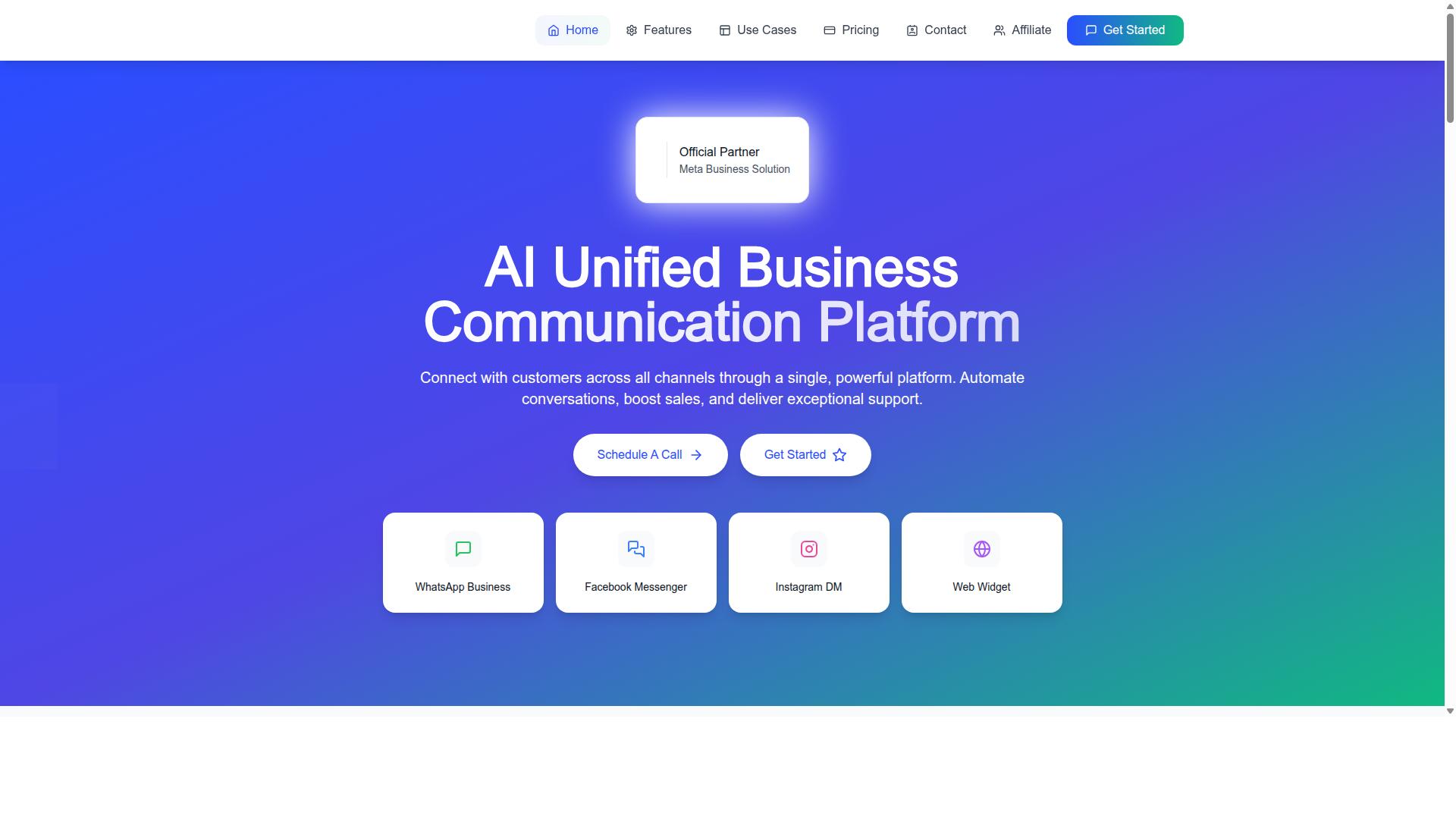
Ecommerce customers reach out through the channels they already use daily, so an effective unified inbox must support the platforms where conversations naturally happen. For most online stores, that means four core messaging channels: WhatsApp Business, Facebook Messenger, Instagram DM, and a website live chat widget.
Each platform serves a slightly different purpose in the buying journey. A shopper might ask a pre-sale question through live chat, follow up about delivery on WhatsApp, and message a store on Instagram after seeing a product in a story. Treating these as separate silos creates fragmented data and slow responses, because agents end up juggling multiple apps instead of working from one shared inbox.
A unified team inbox pulls every conversation into a single workspace. That means one place for message assignment, conversation threading, and team collaboration, regardless of which channel the customer chose. It also makes it easier to track response time against an SLA and to apply consistent automation, chatbots, and canned responses across every touchpoint.
Com.bot natively supports all four channels, along with a Unified Team Inbox, a Visual Bot Builder with a drag-and-drop interface, and a Multi-Channel Support setup for WhatsApp, Facebook, and Instagram. The sections below break down what each channel contributes to ecommerce customer support and how to manage it well.
WhatsApp Business, Facebook Messenger, Instagram DM and Web Widget
Each messaging channel brings distinct customer expectations and technical requirements, and a unified inbox must handle them all without forcing agents to toggle between apps. Here is how the four core channels differ, and what to keep in mind for each.
WhatsApp Business is often the channel of choice for order updates, shipping notifications, and international customers who rely on it as a primary messaging app. Through the WhatsApp Business API, stores can send order notifications, hold two-way conversations, and share rich media such as images or documents. Best practice is to build channel-specific canned responses for common requests like order tracking, then route payment or returns questions to the right agent. Com.bot offers WhatsApp Business API integration, Order Updates, Payment Collection, and Native Payments for WhatsApp transactions.
Facebook Messenger tends to attract shoppers who already interact with a brand on Facebook. It is well suited to pre-sales support and cart recovery, since a quick reply can resolve doubts that would otherwise end in an abandoned purchase. Templates and automation help keep replies fast during high-traffic periods, and routing rules can send complex product questions to a specialist.
Instagram DM plays a different role. It is frequently where product discovery happens, especially when influencer-driven sales or shoppable posts prompt a direct question. Because these conversations are often informal, short canned responses and quick social media messages keep the tone consistent. Assigning Instagram threads to the same agents who handle other channels avoids duplicate answers.
Web Widget live chat captures on-site queries at the moment of decision, from pre-sale support to sizing or stock questions. Because it sits on the product page, it can be paired with browsing context so agents understand what the visitor was viewing. Channel-specific routing rules and templates make it easy to escalate a chat into a ticket when needed.
Managing these channels inside one shared inbox, rather than four separate tools, keeps customer data connected and response times predictable. A help desk or ticketing system layered on top adds message assignment, conversation threading, and reporting across every channel. Com.bot's Team Collaboration with role-based access and Automation Builder with 1000+ integrations help tie these threads together, while its Smart Chatbots and Bulk Messaging support scale as conversation volume grows.
Core Features Ecommerce Teams Should Expect
A unified inbox is only as good as the collaboration features it provides, and ecommerce teams should demand specific capabilities that prevent chaos during high-volume periods. Without them, a shared inbox becomes a shared problem: messages pile up, agents duplicate work, and customers wait longer than they should.
The must-have feature set falls into a few clear groups. Assignment and collision detection keep ownership clear. Internal notes let agents talk to each other without the customer seeing it. Canned responses, tags, and order context speed up replies and keep conversations organized.
Each of these features targets a specific pain point common in ecommerce customer support:
- Duplicate responses happen when two agents answer the same order inquiry. Collision detection stops this.
- Lost messages occur when no one owns a conversation. Assignment rules close that gap.
- Slow resolution slows teams down when agents hunt for order details. Order context removes the search.
- Inconsistent answers creep in without canned responses and tags to standardize replies.
When these capabilities work together, a shared inbox becomes a genuine collaboration tool rather than a queue. Teams handle multichannel communication across live chat, email, and social media messages from one place, tracking each conversation from first contact to resolution. That structure supports faster response times and more consistent customer satisfaction, even during sales spikes.
Com.bot's Unified Team Inbox is built around this same principle, combining team collaboration features with multi-channel support for WhatsApp, Facebook, and Instagram. The sections below break down how assignment, collision detection, internal notes, canned responses, tags, and order context each contribute to a smoother support operation.
Assignment, Collision Detection and Internal Notes
When multiple agents share an inbox, clear ownership and real-time awareness are critical to avoid stepping on each other's toes and to ensure every customer gets a timely reply. These three features form the backbone of that coordination.
Assignment determines who handles each conversation. Rules can route inquiries automatically based on factors like language, product category, or team workload, while managers can also assign manually to a specific agent. In an ecommerce setting, this means a question about a return can land with someone trained in returns and refunds, while a pre-sales product question goes to a sales-focused agent.
Collision detection solves a quieter but costly problem. When two agents open the same conversation, the system alerts them that a teammate is already viewing or replying. That single signal prevents duplicate responses, which confuse customers and waste agent time.
Internal notes give agents a private channel inside each conversation. A note is visible only to the team, never to the customer, so an agent can flag a tricky refund case, share context before escalating, or hand off a conversation with background attached. This keeps message threading clean and the customer experience uninterrupted.
Consider a flash sale. Inquiry volume spikes, and dozens of similar questions arrive at once. With assignment rules, conversations distribute across the team instead of pooling with one person. Collision detection stops two agents from answering the same order inquiry twice. Internal notes let a junior agent flag a bulk order question for a senior teammate without exposing the back-and-forth to the buyer.
Com.bot supports this coordination through Team Collaboration with role-based access, so the right people see and act on the right conversations. The result is fewer errors, less duplicated effort, and a response time that holds steady when volume climbs.
Canned Responses, Tags and Order Context in One View
Speed and personalization are not mutually exclusive when agents have pre-written responses, tags for categorization, and immediate access to order details without leaving the conversation. Together, these three features turn repetitive work into fast, accurate replies.
Canned responses, also called templates, are saved replies for common questions. Shipping updates, return policies, and product specifications are the usual candidates. Agents insert a template and personalize it with the customer's name and order number, so the reply still feels human rather than copy-pasted.
Tags label conversations for later use. A team might tag threads as urgent, refund, or pre-sale, then filter by tag to find open issues, spot recurring problems, or pull reports on what customers ask about most. Tags also support routing, sending certain categories to the right queue.
Order context is the piece that ties everything together. Instead of switching to another tab or asking the customer to repeat details, agents see order history, tracking status, and past interactions right inside the inbox. This usually comes through a CRM integration or an ecommerce platform connection, and Com.bot's Automation Builder supports 1000+ integrations for wiring order data into support workflows.
Here is how it looks in practice. A customer writes "Where is my order?" The agent selects a canned response, drops in the tracking link, and sends it. The conversation gets tagged as shipping. Later, a manager filters by that tag and sees how many inquiries were shipping-related that week, which informs staffing or proactive order updates.
Com.bot also offers Order Updates as a dedicated capability, keeping post-purchase communication close to the support conversation. For teams handling order inquiries at scale, having templates, tags, and order details in one view removes the tab-switching that quietly eats into response time and customer satisfaction.
Real Ecommerce Use Cases: Order Updates, Returns and Pre-Sale Questions
Ecommerce support teams face a predictable set of inquiry types, and a unified inbox can transform how each is handled to boost customer satisfaction and operational efficiency. Most conversations fall into three categories: order updates, returns and refunds, and pre-sale questions. Each demands different information and a different workflow.
Order updates cover shipping confirmations, tracking links, and delivery timelines. These are often repetitive, yet customers expect fast answers because their purchase is already in motion. A shared inbox that pulls data from an order management system lets agents see status details without switching tabs.
Returns and refunds involve initiating a return, processing a refund, or arranging an exchange. These conversations carry higher emotional weight and usually require policy checks, so conversation threading and clear ownership matter. When a ticket is assigned to one agent, the customer avoids repeating the same details across channels.
Pre-sale questions center on product details, stock availability, and sizing. Shoppers may reach out through live chat, social media messages, or email before committing to a purchase. Fast, accurate answers here directly influence conversion, which makes pre-sales support a revenue function, not just a cost center.
A unified team inbox streamlines all three by connecting to an ecommerce platform such as Shopify, WooCommerce, BigCommerce, or Magento, and by surfacing relevant order and customer data in one place. Instead of juggling separate tools for email management, chat, and social channels, agents work from a single queue with shared context.
- Order updates: shipping status, tracking, delivery windows
- Returns and refunds: return initiation, refund processing, exchanges
- Pre-sale questions: product specs, stock levels, sizing guidance
The payoff is consistency. Every agent sees the same history, follows the same templates, and can hand off a conversation without losing context. That reduces response time and keeps the customer experience steady across every channel.
Reducing Response Times During Peak Sale Periods
Peak sale events like Black Friday or flash sales can overwhelm support teams with a surge of inquiries, but a unified inbox with automation and smart routing can keep response times low. The goal is to absorb volume without letting urgent messages sit unanswered.
One effective strategy is using chatbots to handle FAQs and triage incoming messages. A bot can answer common order status questions instantly and route everything else to the right queue. This keeps simple requests from clogging the human queue.
Another is setting up SLA rules that prioritize time-sensitive or high-value conversations. Combined with canned responses and templates for recurring queries, agents spend less time typing and more time resolving. Complex issues can be routed to senior agents automatically.
During peaks, track a small set of metrics:
- Average response time
- First contact resolution
- Backlog size
These numbers reveal whether automation is actually absorbing the load or just shifting it. A store that implemented a unified inbox with automated order status replies can meaningfully reduce response time during a major sale, showing what focused automation can achieve.
Com.bot supports this kind of peak readiness through its visual bot builder and quick replies, which teams can pre-configure before a sale event. With 23,000+ active customers and 25M+ messages processed daily, the platform is built for high-volume multichannel communication. As an Official Meta Business Partner, Com.bot also handles WhatsApp conversations with no markup on those exchanges, which matters when a flash sale drives a spike in chat volume.
How a Unified Inbox Connects to Automation and Payments
Modern ecommerce support goes beyond answering questions; it can automate routine tasks and even facilitate transactions directly within the conversation. A unified team inbox becomes far more valuable when it connects to chatbots and payment tools rather than sitting as a standalone message viewer.
In this model, automation handles the repeatable work while human agents focus on the conversations that actually need judgment. The shared inbox acts as the single layer where both sides meet, so nothing falls through the cracks between channels.
Chatbots typically take the first pass at incoming messages. They can answer common product questions, qualify leads by collecting budget or intent details, and process simple orders without waiting for an agent to become available. When a request turns complex, the bot escalates it into the same inbox a human team already monitors.
Native payments close the loop. Instead of sending a customer to an external checkout page, a store can collect payment inside the chat itself. This removes a step where buyers often drop off, which matters most for impulse purchases and repeat orders.
Com.bot reflects this combined approach through a Visual Bot Builder, a Unified Team Inbox, and Native Payments for WhatsApp transactions. Its Multi-Channel Support covers WhatsApp, Facebook, and Instagram, so automated flows and human replies live in one place. The Automation Builder extends this with 1000+ integrations, letting order data and payment events move between systems without manual copying.
For an ecommerce store, the practical benefit is a shorter path from question to completed sale. Fewer handoffs, fewer context switches, and fewer abandoned carts.
Bot-to-Human Handoff Without Losing Conversation History
A critical but often overlooked feature is the ability for a chatbot to pass a conversation to a human agent without forcing the customer to repeat information or losing the context of the interaction.
The ideal handoff starts with detection. The bot recognizes signals that a query needs a person, such as a complex complaint, a refund request, or frustration in the wording. It then routes the conversation to an available agent along with everything gathered so far.
That package should include the full chat history, customer details, and any actions the bot already performed, like an order lookup or a shipping status check. The agent opens the thread and continues from where the bot stopped.
Two technical requirements make this work:
- Bot integration inside the inbox. The shared inbox must accept automated conversations as first-class threads, not as a separate tool agents have to check.
- Conversation threading. Each customer interaction stays grouped as one continuous record so history, notes, and prior replies remain attached to the right person.
When both are in place, the customer experience improves because nothing restarts. The agent efficiency gain is just as real. No time is spent asking the customer to re-explain an issue, and no agent has to reconstruct what a bot already resolved.
Com.bot supports this through its Visual Bot Builder, which lets teams define handoff rules, and its Unified Team Inbox, which preserves context across the transition. Because the same inbox also handles Multi-Channel Support for WhatsApp, Facebook, and Instagram, a conversation that begins on one channel does not lose its thread when a human steps in.
For ecommerce customer support, that continuity is what separates a helpful bot from a frustrating one. The bot does the fast work, the agent does the sensitive work, and the customer simply experiences one smooth conversation.
Choosing the Right Unified Inbox for Your Store
With many unified inbox solutions on the market, ecommerce businesses must evaluate options based on channel support, integration capabilities, pricing, and scalability.
Not every shared inbox fits every store. A small Shopify shop with two support agents has different needs than a multi-brand retailer handling thousands of order inquiries a week across five channels. The right tool matches your current volume while leaving room to grow.
Channel support is the first filter. Your customers already message you somewhere, whether that is WhatsApp, Facebook Messenger, Instagram DM, web chat, or email. A unified team inbox should consolidate those channels into one view so agents never switch tabs to find a conversation.
Ecommerce platform integration comes next. Tools that connect natively with Shopify, WooCommerce, Magento, or BigCommerce let agents see order history, tracking status, and return details beside the conversation. Without that context, post-purchase support slows down and customer satisfaction suffers.
Beyond channels and platforms, weigh these factors:
- CRM integration so contact records and past conversations stay in sync
- Automation features such as chatbots, canned responses, and routing rules that cut response time
- Pricing model, whether per agent, per channel, or tiered by volume
- Ease of setup, including how quickly channels connect and how steep the learning curve is for new agents
- Scalability, covering seat limits, message volume, and SLA tracking as the team grows
Match the tool to your size. Solo operators and small teams benefit from simple, low-cost plans with core channels and templates. Mid-sized stores usually need message assignment, collision detection, and automation to keep response times down. Larger operations should look for granular permissions, reporting, and the ability to add channels and seats without friction.
Ask one practical question before committing: can the tool absorb your busiest season without forcing a plan change or a workflow rebuild? A framework built on channels, integrations, pricing, and scalability keeps that decision grounded.
Com.bot's Unified Team Inbox: Channels, Pricing and Setup
Com.bot offers a unified team inbox that supports WhatsApp Business, Facebook Messenger, Instagram DM, and Web Widget, with transparent pricing and a straightforward setup process.
The platform is built around a shared inbox where every conversation from those channels lands in one place. Key features include message assignment, so agents know who owns which conversation, and collision detection, which prevents two teammates from replying to the same customer at once. Canned responses and templates speed up common replies like shipping updates and return requests.
A bot builder lets stores automate first responses and routine questions, while native payments allow transactions to happen inside the chat itself. Together, these features support both pre-sales support and post-purchase support without leaving the inbox.
Pricing is published openly, in USD, with three plans:
| Plan | Price | Notes |
|---|---|---|
| Silver | $149 per quarter | Entry tier |
| Gold | $349 per quarter | Recommended |
| Platinum V1 | $2500 per quarter | Top tier |
Add-ons are available at $10 per month for an additional team member, social channel, ecom store, external actions (per 5000), or bot triggers (per 25000). WhatsApp messaging is billed at actual Meta rates with no markup. Dedicated support is offered at $49 per hour for WABA, CRM, and Inbox, and $99 per hour for Ecommerce, Bots, and Automations.
Setup follows four steps: sign up, connect your channels, configure bots and routing, then invite team members. Because Com.bot is an official Meta Business Partner and serves 23,000+ active customers globally, the connection process for WhatsApp and Messenger follows established Meta pathways rather than workarounds.
For a small store, the Silver plan plus one or two add-ons covers the essentials. Growing teams typically land on Gold, the recommended option, once assignment and automation become daily necessities. Platinum V1 suits higher-volume operations that need the full feature set. The add-on model means you pay for the seats and channels you actually use, which keeps costs aligned with order volume rather than forcing an early upgrade.
Measuring ROI: Metrics That Prove the Inbox Is Working
To justify the investment in a unified inbox, ecommerce teams must track metrics that directly impact revenue and customer loyalty. A shared inbox changes how ecommerce customer support operates, but change alone is not proof of value. The numbers tell that story.
Start with a baseline. Before rollout, pull four to eight weeks of data from your existing help desk, ticketing system, or email management tools. Capture the same metrics you plan to track afterward, so every comparison is apples to apples. Without a baseline, any improvement claim is just a feeling.
The metrics below cover speed, quality, workload, and cost. Together they show whether a Unified Team Inbox is genuinely improving multichannel communication or simply moving conversations around.
| Metric | What It Measures | Why It Matters |
|---|---|---|
| Average response time | Time from customer message to first agent reply | Directly shapes first impressions and repeat purchase intent |
| First contact resolution rate | Share of inquiries resolved in a single interaction | Fewer follow-ups means less effort for customers and agents |
| Customer satisfaction (CSAT) | Post-interaction survey scores | Captures perceived quality, not just speed |
| Conversation volume per channel | Ticket counts split by email, live chat, social media messages, and messaging apps | Reveals where demand actually lives and where to staff |
| Agent productivity | Conversations resolved per hour | Shows whether collaboration tool features reduce manual work |
| Cost per resolution | Total support spend divided by resolved conversations | Ties operational efficiency to the bottom line |
Average response time is the headline number for most stores. A shared inbox with message assignment and conversation threading removes the "who owns this?" delay that plagues forwarded email. Industry benchmarks vary widely by channel and store size, so treat published averages as directional, then set your own target based on your SLA commitments.
First contact resolution often improves when agents can see full history across channels in one place. If a shopper asks about a return by email after chatting about shipping, the agent should not need to ask them to repeat everything. Track this rate monthly and watch for dips after new product launches, when product questions and pre-sales support spike.
CSAT is the quality counterweight to speed. A fast reply that misses the point still frustrates buyers. Pair CSAT scores with tags for order inquiries, returns and refunds, and shipping updates so you can see which topics drag satisfaction down.
Conversation volume per channel tells you where to invest. If social media messages grow while email declines, staffing and templates should follow. Agent productivity, measured as conversations resolved per hour, shows whether canned responses, templates, and automation are genuinely freeing up time or just adding steps.
Cost per resolution is where ROI becomes concrete. Divide total support costs, including salaries, customer service software, and tooling, by the number of resolved conversations. Compare that figure before and after implementation, then layer in the revenue side: faster answers on pre-sales support can lift conversion, and smoother post-purchase support can reduce refund requests.
To calculate ROI, use a simple formula:
- Add up measurable savings, such as reduced handling time and lower cost per resolution
- Add estimated revenue gains from improved conversion and retention
- Subtract the total cost of the inbox software and any onboarding effort
- Divide the result by the total cost, then multiply by 100 for a percentage
Set targets carefully. Aim for incremental improvement over your own baseline rather than chasing an industry average that may not fit your catalog, order volume, or customer expectations. Review targets quarterly, and adjust when seasonality changes the mix of inquiries.
One practical tip: assign ownership. Someone should own each metric, whether that is response time, CSAT, or cost per resolution. Metrics without owners tend to drift.
A unified inbox should move three things in the right direction: response times down, customer satisfaction up, and support costs lower. If only one improves while another worsens, investigate before declaring victory. For example, faster replies that tank CSAT usually signal rushed, templated answers.
Com.bot fits into this measurement picture through its analytics dashboard, which gives teams a place to track these metrics as they work. The platform processes 25M+ messages per day, so the reporting needs to handle real volume, not just a trickle. Because Com.bot is an Official Meta Business Partner with no markup on WhatsApp conversations, stores running WhatsApp alongside email and live chat can fold that channel into the same measurement framework.
With 23,000+ active customers and 500+ global partners, the patterns behind these metrics are well established across many support teams. The core advice holds regardless of tooling: baseline first, track consistently, and tie every number back to either revenue or customer loyalty.
Recommended Resources: